
Service
Real Estate Photo Editing Service
Send your property photos, and a real editor gets them ready for the listing by hand.
Sky replacement, virtual staging, object removal, and HDR enhancement for property listings and real estate photographers.
Free to upload · No credit card · See your estimated price before you pay
-
From 1 credit (US$8)Per photo. Buy a credit pack upfront and save up to 20%.
-
24 hoursMost orders of up to 5 photos are back within 24 hours. You see the estimate before you pay.
-
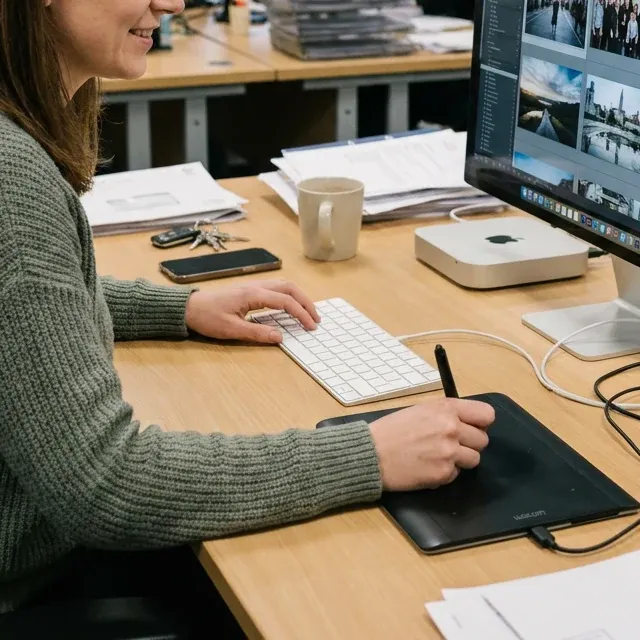
-
14 daysFree revisions, with a full refund if it still doesn't work out.
-
PrivateWe never share or publicly show your photos.
What this service covers
-
Common requests
Replace a gray sky, remove clutter, add virtual staging, turn a daytime exterior into a twilight shot, merge bracketed exposures into one HDR photo, or brighten a dark room and straighten leaning walls.
Editing these in volume? See outsourcing for business
Before & after
Examples use images created or licensed for this site, never real customer photos.
8 examples
-
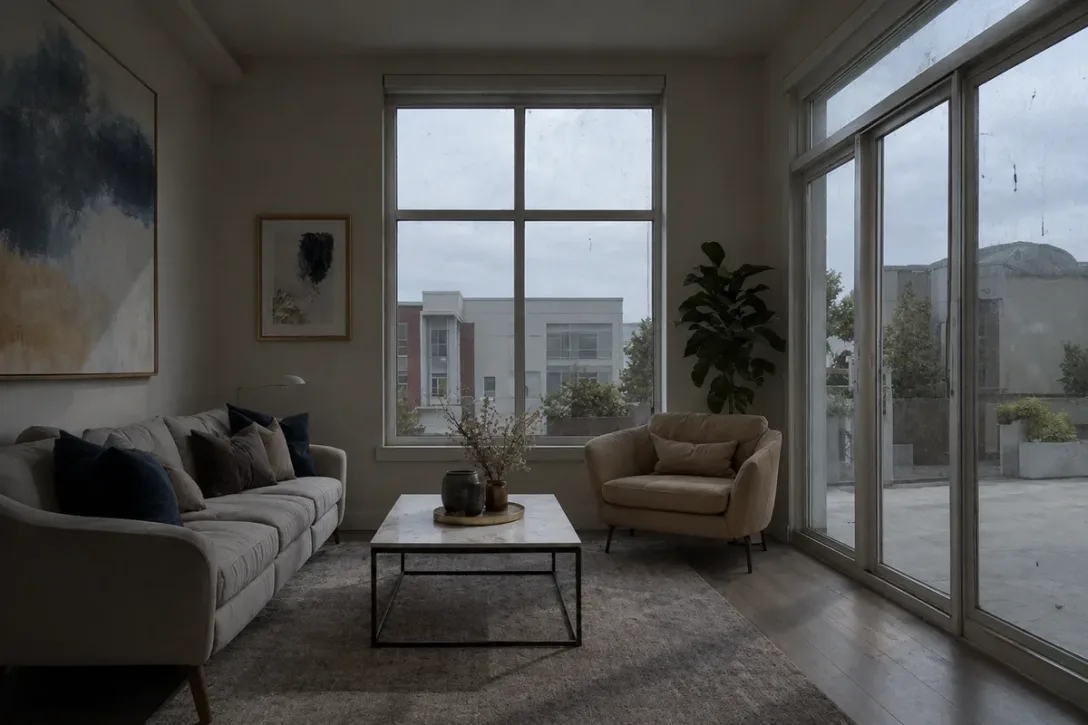 Image unavailable. Please reload to try again.
Before
Example 01 / 08
Real Estate Photo Brightening
Brighten dark interior photos: a gloomy city apartment living room shot with the lights off is lifted to clean daylight, the dusty window glass is cleaned, and every piece of furniture is kept as is.
1 credit approx. US$8
View details -
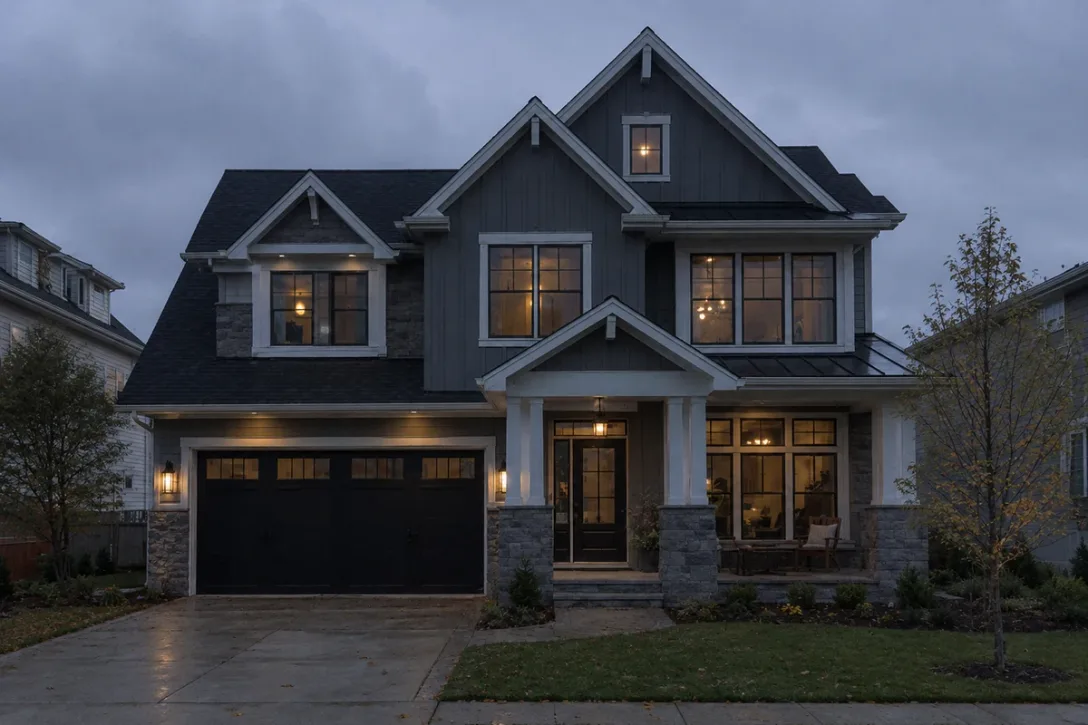 Image unavailable. Please reload to try again.
Before
Example 02 / 08
Real Estate Sunset Sky Replacement
Replace a dull overcast dusk sky with a warm sunset sky on a house exterior photo, keeping the house, trees and lit windows as shot.
1 credit approx. US$8
View details -
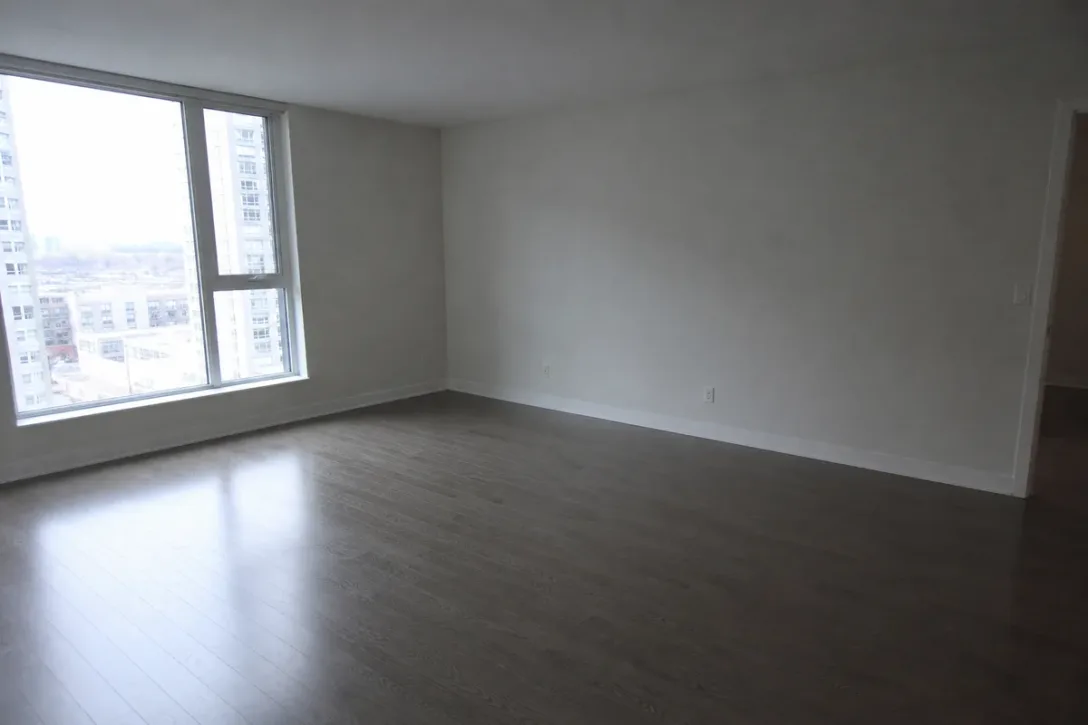 Image unavailable. Please reload to try again.
Before
Example 03 / 08
Real Estate Virtual Staging
Add a Scandinavian-style sofa, rug, coffee table, lamp and plant to an empty living room photo so buyers can judge its size. The room itself is unchanged.
1 credit approx. US$8
View details -
Example 04 / 08
Real Estate Kitchen Photo Cleanup
Prepare a kitchen photo for a listing: clear the counters and fridge door, recover the window view and fix the color cast.
1 credit approx. US$8
View details -
Example 05 / 08
Real Estate Window View Recovery
Bring back the tree and the neighbouring roof hidden in a washed-out window in a bedroom listing photo, and lift the whole room's light a touch, without moving or adding anything.
1 credit approx. US$8
View details -
Example 06 / 08
Real Estate Exterior Photo Cleanup
Remove garbage and recycling bins from a townhouse front photo and rebuild the sidewalk and stoop steps behind them, with the house itself left as it is.
1 credit approx. US$8
View details -
Example 07 / 08
Real Estate Mirror Reflection Removal
Remove the photographer, tripod and fill light from a bathroom mirror and show the shower wall behind them, for a clean real estate listing photo.
1 credit approx. US$8
View details -
Example 08 / 08
Real Estate Classroom Photo Editing
Turn a quick phone shot of a furnished classroom into a bright, clean listing image: true colors, straightened lines, floor tidied. Hand edited.
1 credit approx. US$8
View details
Frequently asked questions
About this service
-
What can you do for a property listing?
Replace a gray sky, remove clutter, add virtual staging, and merge bracketed exposures into one HDR photo. It suits both agents and real estate photographers.
-
How does HDR merging work, and how is it priced?
Send all the bracketed exposures for a shot and tell us they belong together. The editor merges them into one photo with natural light inside and out. Each source photo is counted, so a bracket of several exposures costs more than a single photo. The final cost depends on the complexity of the job and the editor's actual working time, and you'll see an estimate at checkout.
-
How does virtual staging work?
The editor adds furniture and decor to an empty room, matched to the room's light and perspective. Each room photo is 1 credit, and the furniture we add is not charged piece by piece. A photo costs more only if staging it takes much more than the 20 minutes of editing that 1 credit covers, for example a large open room filled with many pieces; the editor asks before charging more, and you'll see an estimate at checkout. Many MLSs and listing sites have rules about disclosing staged images, so check yours before you publish.
-
What clutter can you remove, and what can't you hide?
Removable things: personal items, bins, cables, cars in the driveway. We don't hide permanent features or defects of the property, because a listing photo should show the property as it is.
-
Can you fix a dark, grey or crooked room photo?
Yes. The editor brightens the room, removes a grey or color cast, cleans smudges on window glass, and straightens leaning walls and tilted frames. The room itself isn't changed: the furniture, finishes and fixtures stay as they are, and very dark corners brighten gently rather than turn white.
-
Can you replace the sky in every exterior shot?
Yes. The gray sky is replaced and the light on the building adjusted to match, so it doesn't look pasted on. Tell us the mood you want, such as clear blue or soft evening.
Ordering with Tucia
-
Is my photo edited by a real person or by AI?
By a real person. Every photo is assigned to a professional human editor who does the work by hand, and a human checks the result before delivery. AI tools are used only for narrow helper steps, never as a one-click filter.
-
How much does it cost?
Pricing is per photo, in credits, from 1 credit (US$8). The price and delivery time shown at checkout are an estimate. If your edit turns out to need more work than that, the editor pauses that photo and messages you with the extra amount, and nothing more is charged unless you agree. If you decline, that part is dropped and refunded.
-
How long does it take?
Most orders are back within 24 hours; larger batches take longer, and you'll see an estimate at checkout. There is no paid rush option. If you have a deadline, say so in your order notes and we'll do our best to fit it in, though we can't guarantee a date.
-
What if I'm not happy with the result?
Ask for changes: revisions are free for 14 days after delivery. They need to follow your original instructions (a new direction counts as a new order). If it still doesn't work out, you get a full refund. The full terms are in our revision policy.
-
Are my photos kept private?
Yes. We never share your photos or show them publicly, and we never use them for marketing. A few editing steps rely on third-party AI tools — here is exactly which ones, and what we can and can't guarantee. More in our Privacy Policy.
-
Still have a question?
Ask us before you order: contact us.
"I have used the team at Tucia for many years and delighted with everything . They have been an invaluable help to my business ... Tremendous company. Outstanding service."

Wedding Photographer · New York
Award-winning · 25+ years experience
A better photo. Or your money back.
Tell us what you’d like changed. Revisions are free, and if you’re still not satisfied with the result, we’ll refund you in full.







Trusted by 120,000+ customers
Create a free account and upload your photo. Review the estimated price and delivery time before you pay.