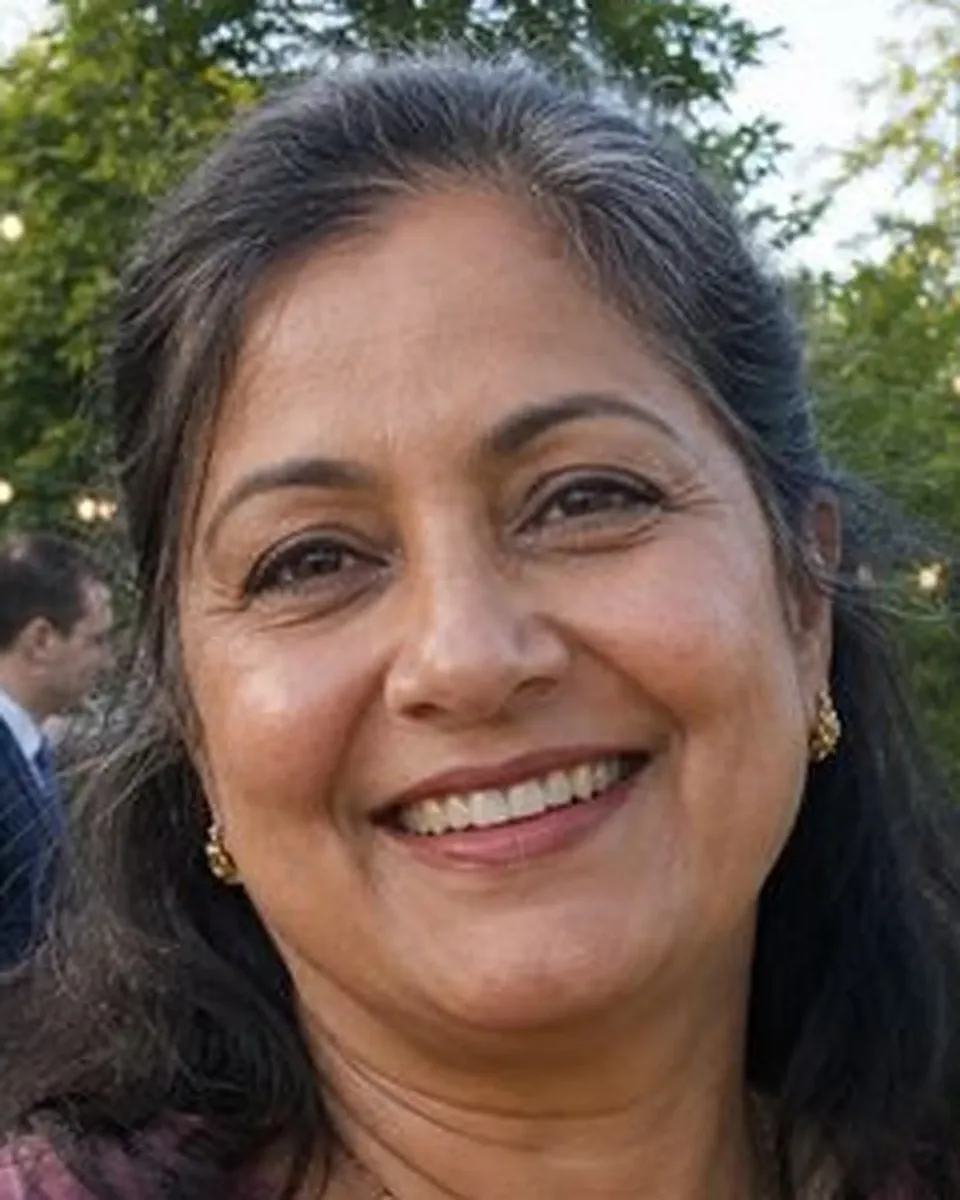

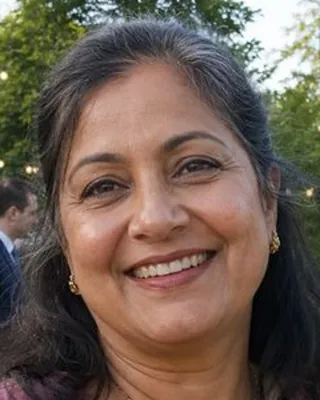
Enlarging a photo for printing means adding pixels to a small but sharp photo so it can be printed bigger without turning soft or blocky. In this example, the mother of the bride stands in the garden at her daughter's wedding reception. Her niece took the photo on a phone and sent it through a chat app, which shrank it to 800 pixels wide. The photo is in focus and she loves it, but printed at 8×10 inches straight from that file, her face would look soft and grainy.
The images above show the same part of the photo, her face, at the same magnification before and after, so you can compare the detail directly.
What changed in this photo, and what stayed the same?
- Enlarged: the whole photo, four times on each side, from 800 to 3,200 pixels wide. On an 8×10 print that is about 320 pixels per inch, above the 300 commonly recommended for photo prints.
- Kept: her face exactly as photographed: the shape of her eyes, her smile, her hair, the earrings and the garden behind her. Nothing is redrawn and nothing is retouched.
- Filled in by the upscaling software: fine texture such as single lashes, skin texture and hair strands. A small file never recorded these clearly, so the software works them out from the pixels that are there; they are not recovered from a bigger original.
Why not just print the small file bigger?
When a printer or a phone enlarges a small file, it stretches each pixel and blends the edges, so faces go soft and eyes lose their shine. Dedicated upscaling software instead analyses the edges and textures in the photo and builds new pixels that follow them. The editor runs it on the whole photo, then checks the face at full size against the small original, so the person still looks like themselves.
How big can a photo be enlarged?
A sharp photo can usually be enlarged two to four times on each side, depending on how clear it is to begin with. A photo that is already in focus, like this one, enlarges well. Tell us the print size you want, such as 8×10 or 16×20 inches, and the editor checks whether the file will hold up at that size before starting.
What enlarging cannot do
- It cannot make a blurry photo sharp. If the face is out of focus or shaken, enlarging makes the blur bigger; see fix blurry photos first.
- It cannot bring back detail lost to heavy compression, such as a screenshot of a screenshot. Ask the person who took the photo for the original file if you can.
- It does not retouch or change the photo. If you also want blemishes removed or the colors adjusted, say so in your order.
What to upload
Send the largest copy of the photo you have. If someone sent it to you through a chat app, ask them for the original from their phone, because it is usually several times bigger. Tell us the print size you need. More under photo restoration.
Photos
-
 wedding.jpg
1 credit ($8)
1 photo to edit
Instructions
My niece sent me this from the wedding. Can you make it big enough to frame at 8x10?
Private: recreated on our own images, not customer photos
The before/after shown here is recreated on images created or licensed for this site — never a real customer's photo. Your upload is seen only by the editor working on it, and the edit comes with free revisions within 14 days of delivery if anything needs adjusting.