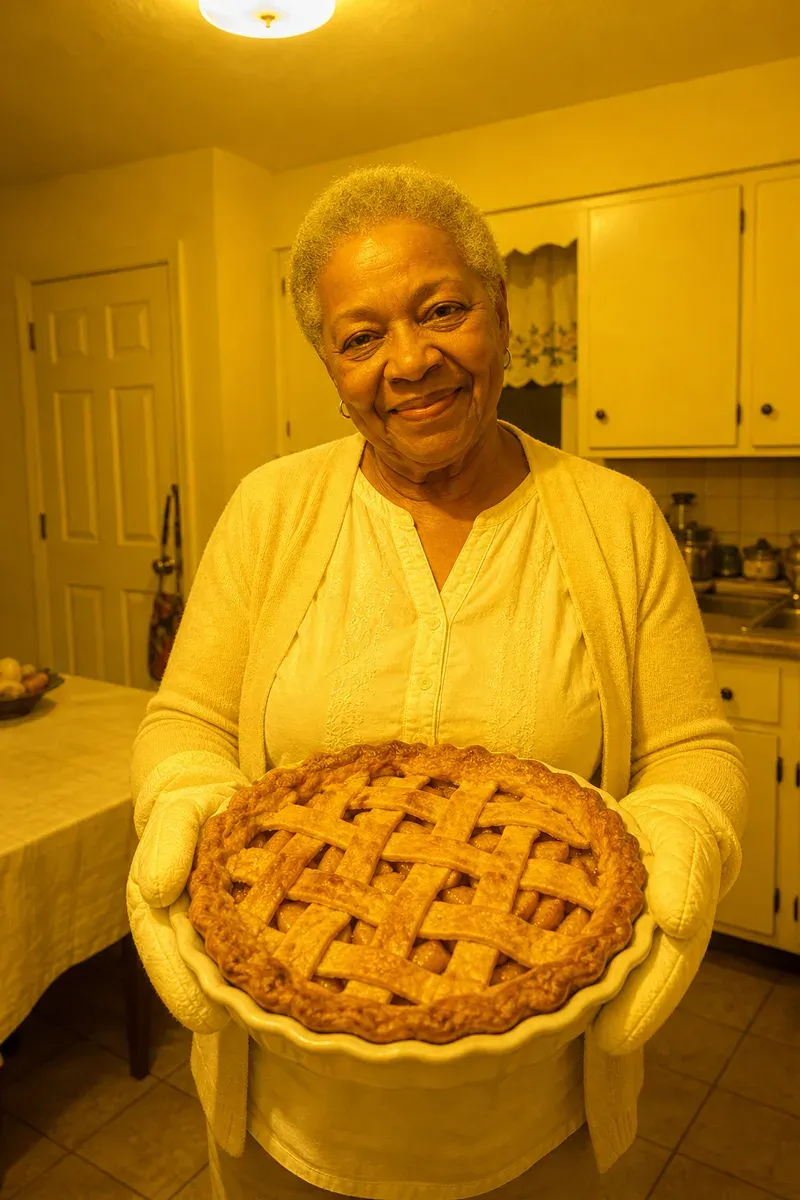
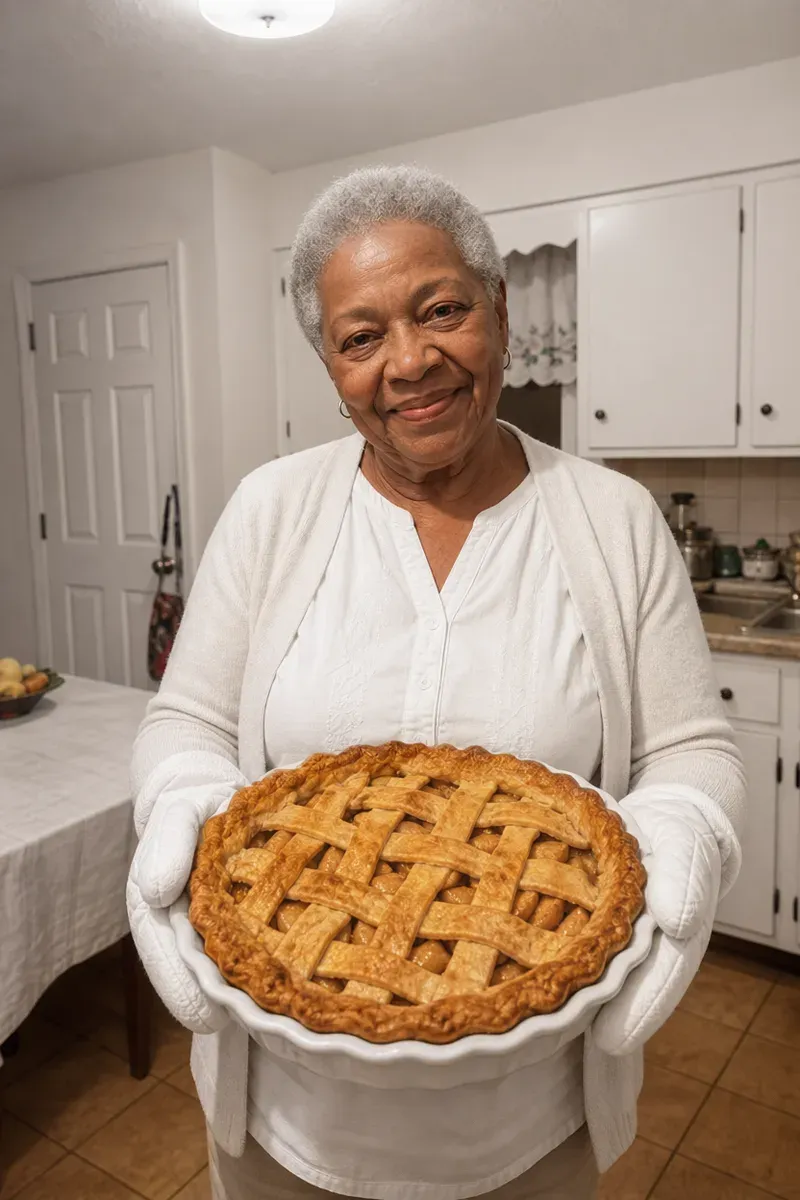
Removing a yellow tint from a photo means correcting the color cast that indoor bulbs leave on everything, so whites look white and skin looks like skin again. In this example, a grandmother in a white blouse and pale cardigan stands in her own kitchen, holding out a freshly baked apple pie in oven mitts. The phone was set to automatic white balance, and the yellow ceiling light turned the whole picture the color of mustard: blouse, mitts, pie dish, cabinets, door and tablecloth.
What changed in this photo, and what stayed the same?
- Corrected: the yellow cast across the whole photo. Her blouse, cardigan, oven mitts, pie dish, cabinets and tablecloth are neutral white again, and her skin is a natural warm brown.
- Kept: her face and smile, the golden-brown pie crust, the kitchen door and the layout of the room. Nothing was added or removed. The editor checks the face and the pie against the original; the picture is re-rendered as a whole, so skin may look a little smoother.
Why do indoor photos turn yellow?
Household bulbs and ceiling fixtures give off warm, orange-yellow light. Our eyes adjust to it, so a white blouse still looks white in the room, but a phone camera does not always adjust as far. The result is a photo where every white surface has turned yellow and skin looks jaundiced. Yellow casts are most common with older incandescent bulbs, warm LED bulbs and restaurants lit by candles or lamps.
How does an editor decide how much yellow to remove?
The editor starts from things that are known to be white or gray: here the blouse, the cabinets and the pie dish. Correcting those to neutral sets the right balance for the rest of the photo. In this example the correction goes all the way to neutral, which makes the kitchen look like it was lit by daylight, while the pie crust stays a natural golden brown. If you would rather keep some of the warm, evening feel, say so: the editor can stop partway, with the whites clean but the light still a little warm.
When is a color cast harder to fix?
- When two lights of different color hit different parts of the photo, such as a blue window on one side and an orange lamp on the other.
- When the photo has already been run through a filter, which can throw away some color information.
- When nothing in the photo should be white or gray, so there is no fixed point to correct against. A photo of the same room in daylight helps.
For a blue cast on a white dress, see fix blue tint on a wedding dress. More color fixes are under photo color correction.
Private: recreated on our own images, not customer photos
The before/after shown here is recreated on images created or licensed for this site — never a real customer's photo. Your upload is seen only by the editor working on it, and the edit comes with free revisions within 14 days of delivery if anything needs adjusting.