A kitchen counter is not a product page
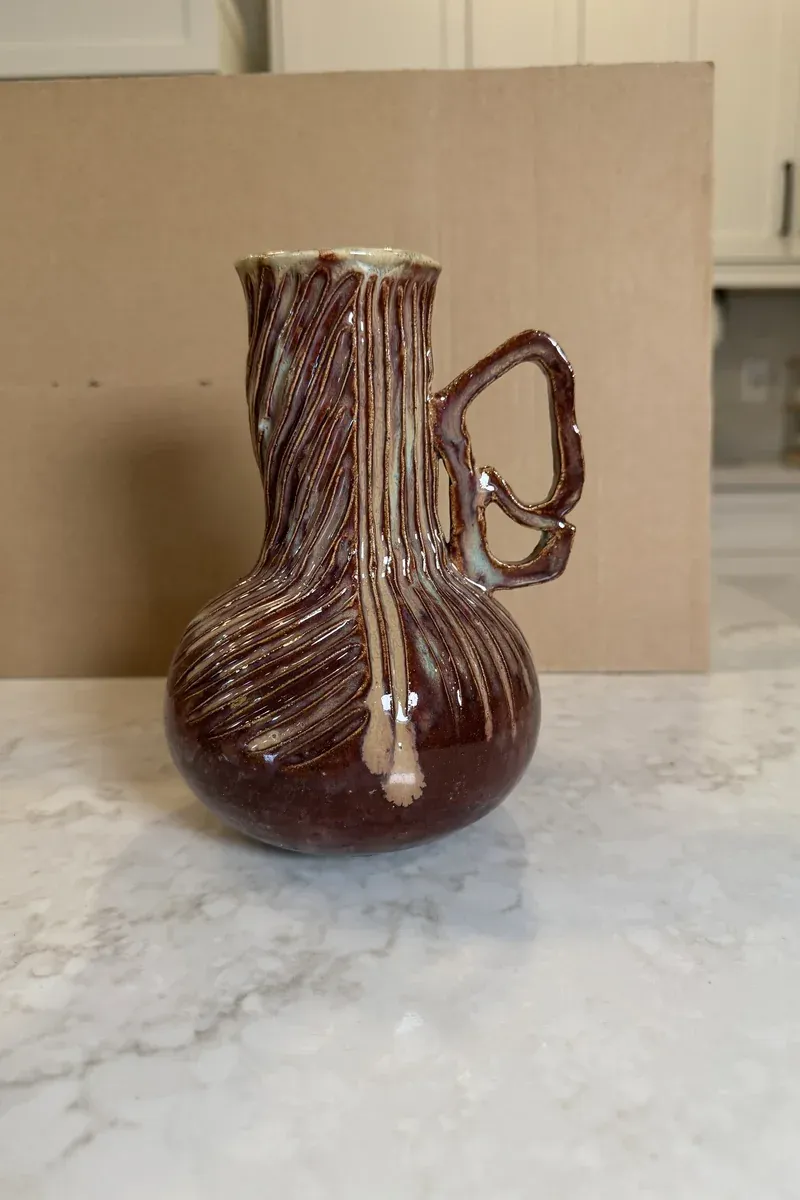
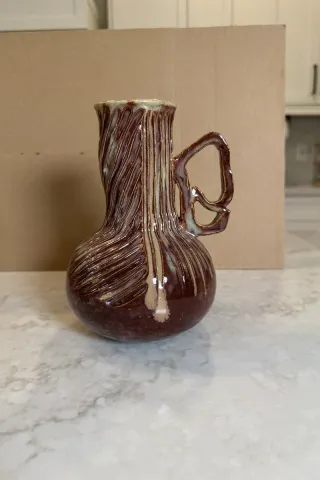
A potter photographs a new long-neck vase on the kitchen counter, propped in front of a sheet of cardboard. The vase is good: carved lines spiral around the body and the glaze runs down the neck in drips. The photo is not. The marble counter, the cardboard edge and the cabinets behind it pull the eye away, and the window leaves bright white glare spots along the handle and the neck. Next to listings shot on clean studio backgrounds, it looks like a snapshot.
Who uses this
- Potters and ceramic sellers who photograph their own work at home
- Marketplace sellers who need a clean, consistent main image for Etsy or their own shop
- Makers who want every piece in a series on the same background with the same kind of shadow
How the edit is handled
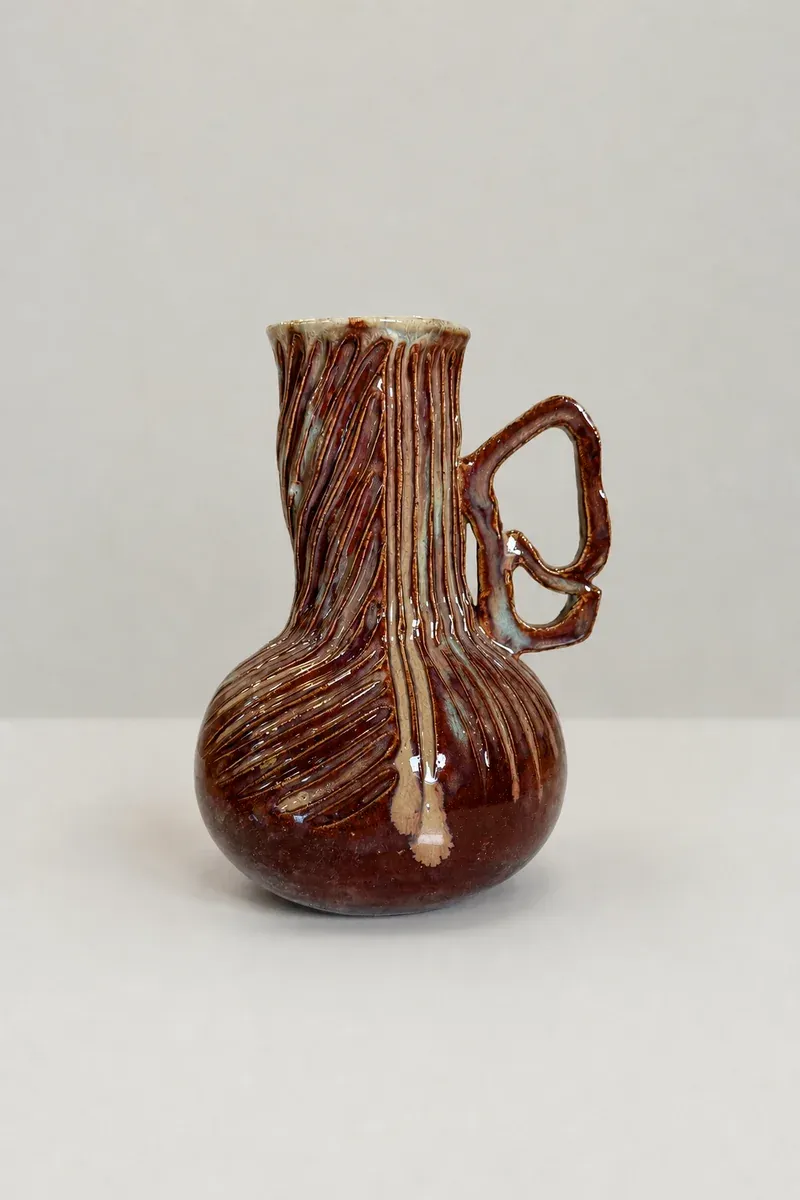
A human editor, with AI tools assisting where they help, replaces the counter, the cardboard and the cabinets with a soft eggshell-gray seamless studio background and adds a soft contact shadow under the base, so the vase stands on the page instead of floating. The hard glare spots from the window are toned down so the carving reads again.
A handmade piece is not supposed to look machine-made. The shape, the handle, the carved pattern, the glaze drips and the color are the product, so they are checked against the original. Soft highlights stay where the glaze would naturally catch the light, so it still looks glossy rather than matte.
Real features of a piece, such as pinholes, glaze crawl or a chipped edge, are not retouched away. Only what came from the room and the light is cleaned.
What to upload
Send the original photo of each piece, ideally shot at the same height and distance. A soft light gray like this one is what most shops use: it looks like a real studio sweep, keeps white and pale glazes from blending into the page, and sits well next to other photos. If a marketplace asks for pure white, tell us, and say whether you want a shadow. If you shoot a whole series, send the first finished picture with the rest so the background and shadow match across all of them.
Photos
-
 vase.jpg
1 credit ($8)
1 photo to edit
Instructions
Please put this vase on a plain light gray studio background and tone down the window glare. Keep the glaze and carving as they are.
Private: recreated on our own images, not customer photos
The before/after shown here is recreated on images created or licensed for this site — never a real customer's photo. Your upload is seen only by the editor working on it, and the edit comes with free revisions within 14 days of delivery if anything needs adjusting.