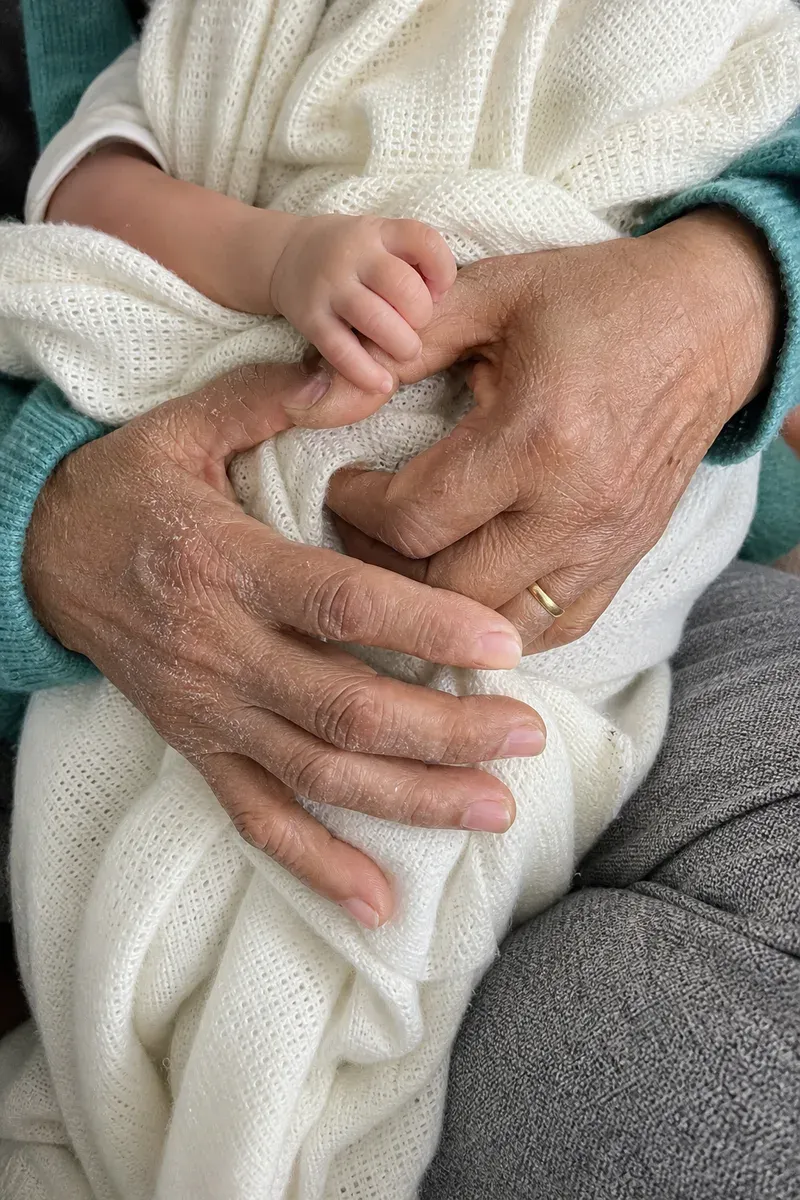
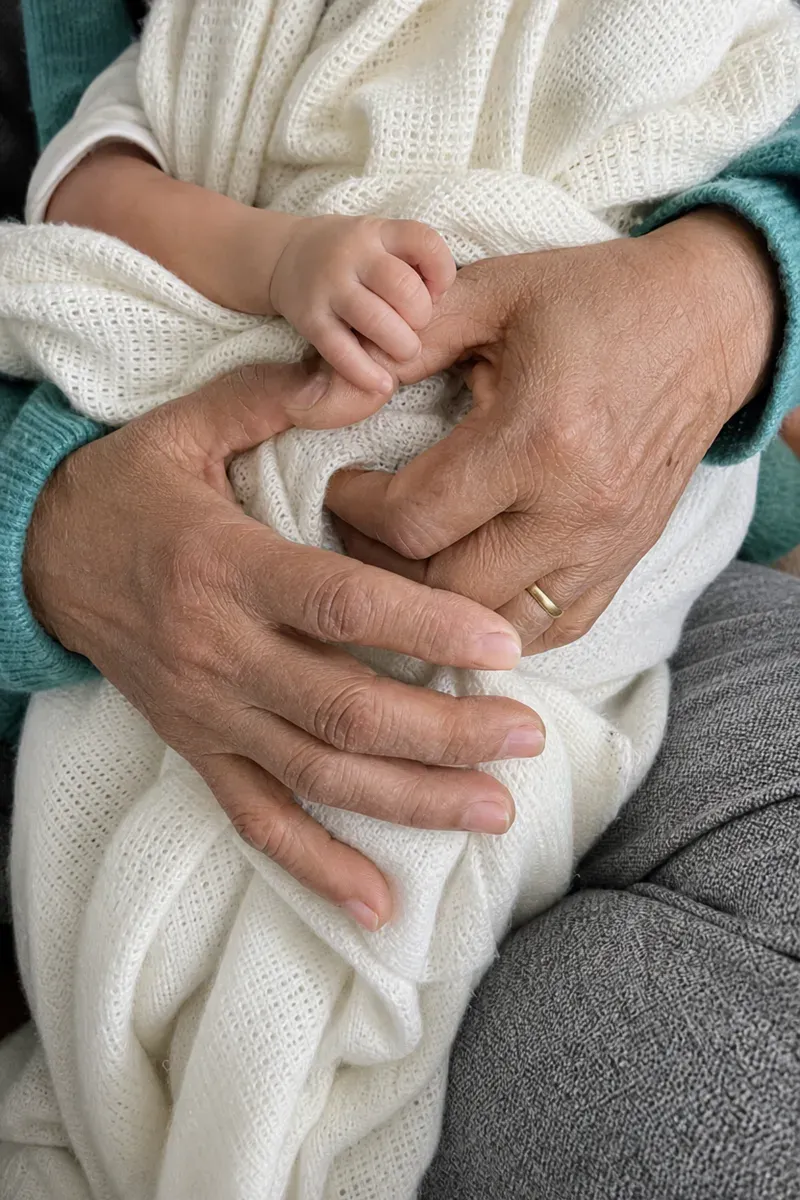
Removing dry skin from hands in a photo means calming the flaking, rough patches on the skin while keeping its lines, age and character. In this example, a woman of about 70 sits on the living-room sofa and cradles her newborn great-grandchild in a cream blanket, the baby's tiny hand wrapped around her finger. A relative took this close-up on a phone for a four-generation family album, but the dry winter skin on the backs of her hands looks rough and white next to the baby's smooth skin.
What changed in this photo, and what stayed the same?
- Calmed: the white flakes, ashy patches and rough, cracked skin on the backs of both hands and fingers.
- Kept: the wrinkles, knuckles, veins and age spots, her ring, the baby's hand, the blanket, the cardigan sleeves and the sofa.
- Slightly changed: the skin texture is a little softer than in the original, which is normal when the flaky surface is cleaned up.
Why keep the wrinkles?
In a photo like this, the age of the hands is the point: they are the hands of the family's oldest generation, holding the youngest. Dry skin is temporary, so removing it shows the hands as they normally look. Removing wrinkles and age spots would make them look younger than the woman they belong to, and the photo would lose what makes it meaningful. If you do want lines softened, ask for it separately.
How does an editor fix dry skin on hands?
Flakes are bright, raised specks that break the natural shine of the skin. The editor removes them and evens the patchy, ashy color around them, then checks the texture at full size so the skin still has its folds and fine lines. The goal is skin that looks moisturized, not smoothed.
Other hand photos people often want fixed
- Ring and proposal close-ups, where hands are the main subject.
- Hands held together at a family gathering, where dry or red skin draws attention.
- Hand-modeling or product photos that show rings, watches or nails.
For jewelry itself, see jewelry photo retouching. For softening lines on a face, see remove wrinkles from a photo. More under face and skin retouching.
Private: recreated on our own images, not customer photos
The before/after shown here is recreated on images created or licensed for this site — never a real customer's photo. Your upload is seen only by the editor working on it, and the edit comes with free revisions within 14 days of delivery if anything needs adjusting.