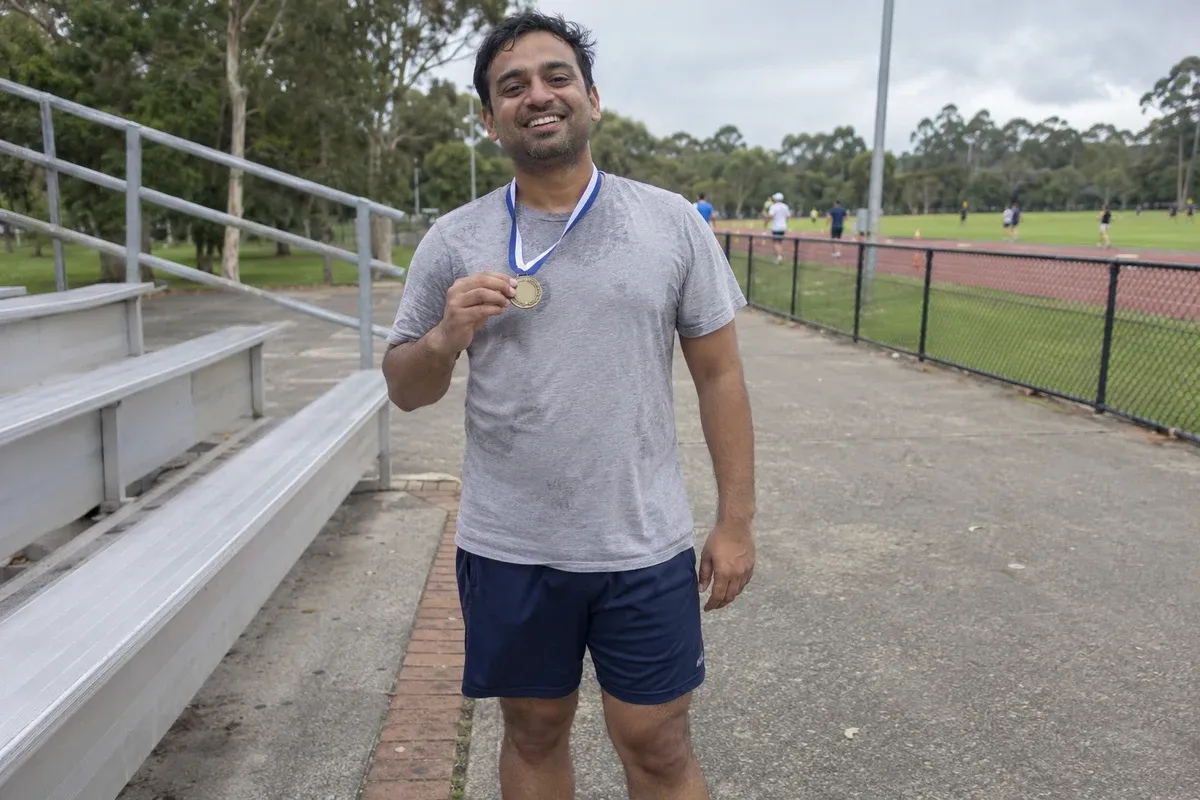
Why sweat marks stand out in photos
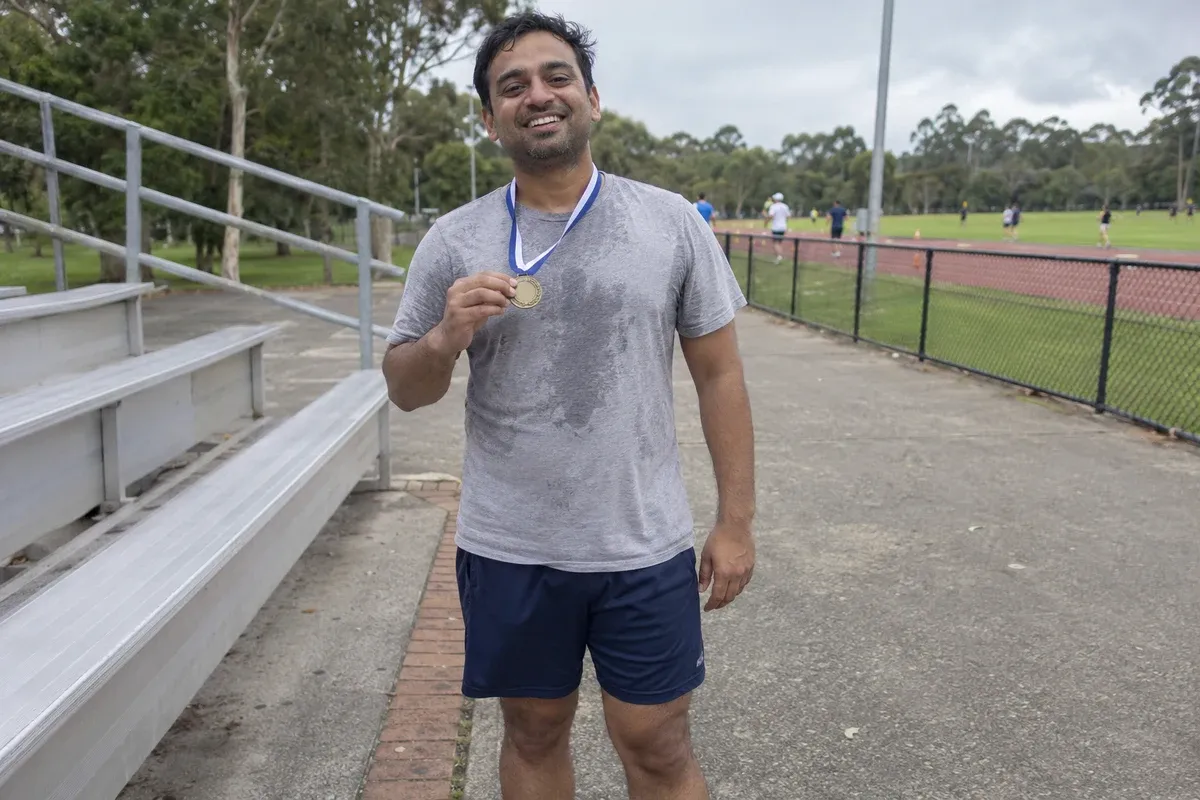
A light gray athletic shirt shows every damp patch. After a race, a workout, or a hot afternoon, dark marks across the chest can pull the eye away from the face and the medal in your hand. This edit lightens those temporary marks so the shirt reads as one even color, while the moment stays exactly as it happened.
Who needs this
- A runner printing a first-race photo for family
- Team and gym photos headed for a profile or newsletter
- Travel snapshots taken on a hot day
- Event photos where pale cotton shows moisture
How the edit is handled
A human editor, with AI tools assisting where they help, works only on the damp areas. The color is matched to the dry parts of the same shirt, such as the shoulders, so the weave, seams, and normal creases stay in place. Your face, expression, build, medal, hands, and background are left alone, and the edit never adds muscle or reshapes the body.
Results depend on how large the stains are and how much dry fabric remains visible to match from. If most of the shirt is soaked, the marks may be softened rather than fully removed. In that case a photo of the same shirt when dry is the best reference, because we match the real garment and never swap in a different one or invent a new color.
What to upload
Send your original photo at full resolution and say which areas are stains, so the editor does not smooth out real shadows or folds. If you have a picture of the same shirt dry, add it as a reference.
Photos
-
 race.jpg
1 credit ($8)
1 photo to edit
Instructions
Can you get rid of the sweat patches on my shirt?
Private: recreated on our own images, not customer photos
The before/after shown here is recreated on images created or licensed for this site — never a real customer's photo. Your upload is seen only by the editor working on it, and the edit comes with free revisions within 14 days of delivery if anything needs adjusting.